01 / Vastgoed
Geef uw vastgoed
Geef uw vastgoed
een verhaal.
Laat kopers en investeerders zien wat een gebouw bijzonder maakt. Van de eerste gevelindruk tot de sfeer van het interieur.
PresentTool · onderzoeksprojectVan bouwtekening of 3D-model naar overtuigende interieur- en exterieurbeelden, projectfilms en interactieve presentaties. We verzorgen de uitwerking, zodat u uw project helder kunt presenteren aan kopers, investeerders, projectteams en bewoners.
Laat kopers en investeerders zien wat een gebouw bijzonder maakt. Van de eerste gevelindruk tot de sfeer van het interieur.
PresentTool · onderzoeksprojectMaak licht, materiaal en mogelijke inrichting voelbaar met beelden en films die bij uw ontwerp passen.
Klaas Katerstraat · conceptprojectToon een plan in zijn omgeving. Beelden ondersteunen de toelichting aan projectteams, gemeenten en bewoners.
De Groene Es · onderzoeksprojectVan een woning tot een complete buurt: ontdek hoe beelden, films en presentaties samen een project begrijpelijk maken. Klantprojecten en onderzoeksprojecten zijn afzonderlijk aangeduid.
Sfeerfilms en ontwerpimpressies. De Groene Es is een onderzoeksproject. De interieurstudie is een demonstratie. Geen vrije 3D-rondleiding.
Beelden, projectfilms en interactieve presentaties voor kopers en investeerders.
Bekijk verkoopcases →Bouwplannen in hun omgeving tonen, ontwerpvarianten vergelijken en plannen toelichten aan bewoners.
Bespreek een pilot →Interieur- en exterieurbeelden voor verkoop, brochure en presentatie.
Bekijk de mogelijkheden →Een korte film van het gebouw, de ruimtes en waar passend de omgeving.
Bekijk projectfilms →Standpunten, ruimtes en woningen verkennen met plattegronden en planinformatie.
Bekijk de mogelijkheden →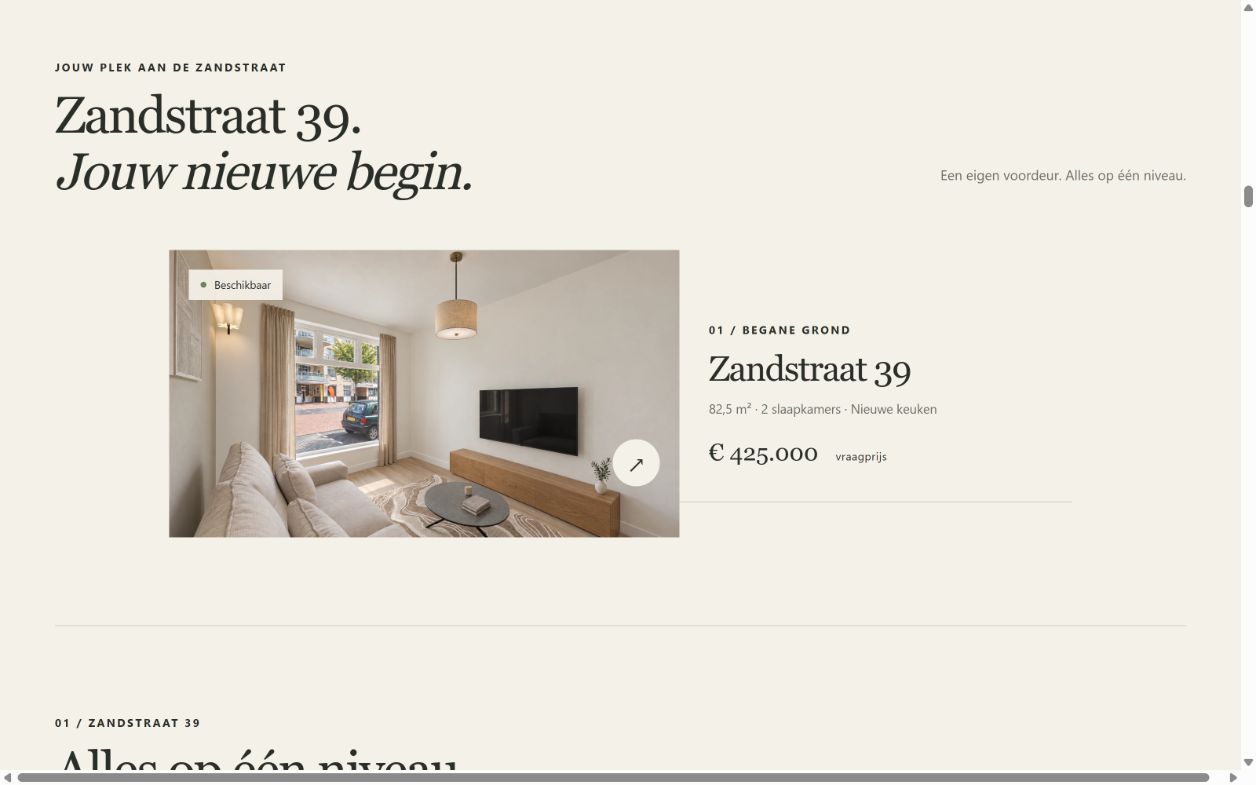
Van eerste indruk tot interesse: beelden, films en woninginformatie komen samen in één verkoopwebsite.
Bekijk het project →
Van vogelperspectief naar voordeur en interieur. Ontdek een transformatie met hotspots en bewegende sferen.
Verken de transformatie →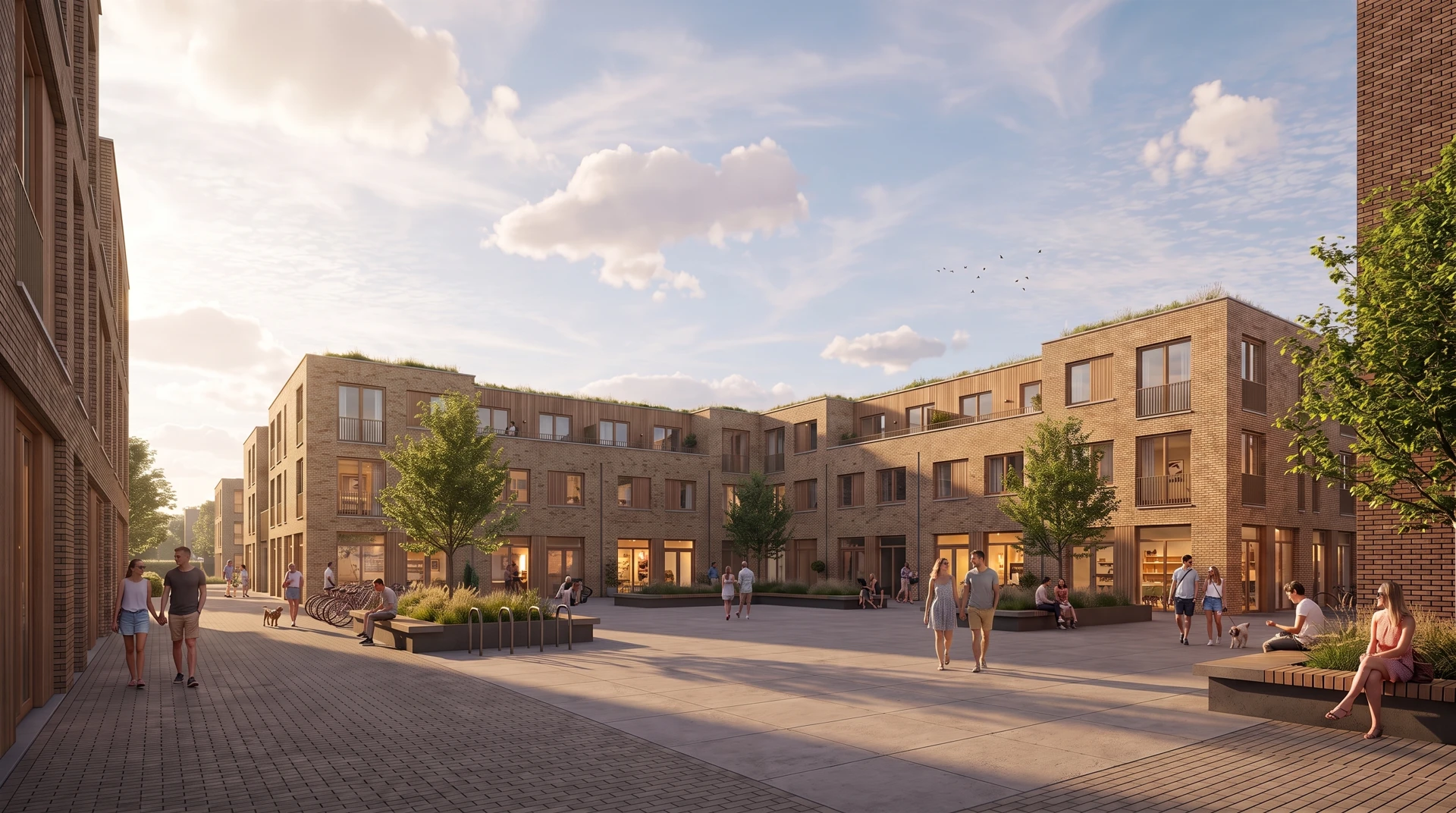
Een onderzoeksomgeving met drie woningtypen en filmische presentaties.
Bekijk de demonstratie →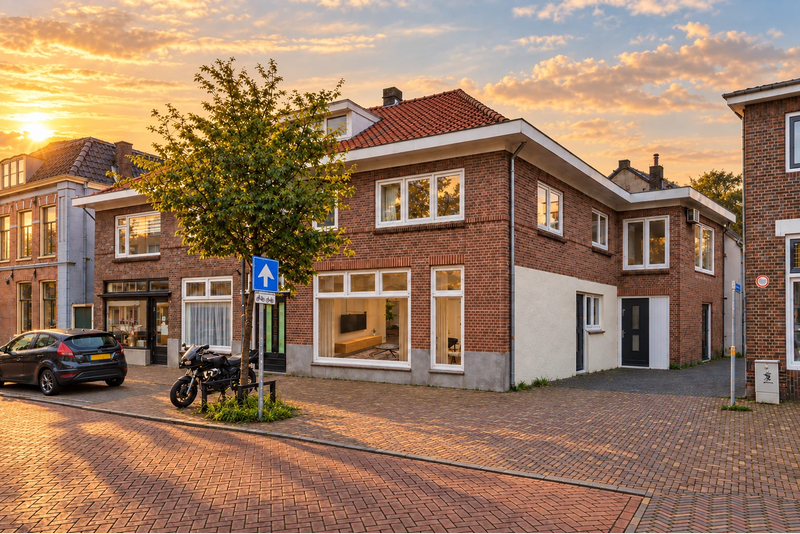
De samenhang tussen beelden, sferen en film, als afzonderlijke toelichting op de presentatietechniek.
Bekijk de uitwerking →Zandstraat laat zien hoe gevel- en interieurbeelden, films en interactieve interieuronderdelen samenkomen in een verkoopwebsite. We stemmen per opdracht af welke middelen u nodig heeft. Websitebouw is een afzonderlijke offertepost.
Bekijk de uitwerkingDeel uw doel en beschikbare tekeningen, model of beelden. Ook zonder 3D-kennis kunt u starten.
Vertel over uw plan →We bepalen gebouwen, unieke typen, ruimtes, standpunten, planning en oplevervorm.
Wat bepaalt de prijs? →We werken de presentatie uit. Twee gebundelde feedbackrondes horen bij de introductiepakketten.
Lees de werkwijze →Vanaf € 595Drie beelden van één pand of één woningtype.
Bespreek dit pakket →Vanaf € 995Vijf beelden en een projectfilm van circa 30 seconden.
Bespreek dit pakket →Vanaf € 1.495Vijf beelden, een korte projectfilm en een online viewer met maximaal zes standpunten, hotspots en één aangeleverde plattegrond.
Bespreek dit pakket →Voor de eerste 5 nieuwe projecten bieden we deze introductietarieven. Deel uw plannen en ontdek welke presentatie het beste bij uw verkoop of projectoverleg past. We bevestigen de beschikbaarheid van het aanbod in uw voorstel.
Exclusief btw. Uitgangspunt: een bruikbaar aangeleverd 3D-model, één vastgesteld ontwerp, één pand of woningtype en twee gebundelde correctierondes. Ruimtes en standpunten worden vooraf afgesproken. Het aantal interieur- en exterieurbeelden leggen we vast in uw voorstel.
Hosting en beheer worden in het projectvoorstel gespecificeerd.
Stuur wat er al is: tekeningen, een 3D-model, foto’s of een combinatie. We beoordelen het materiaal en adviseren welke uitwerking nodig is. Moet er nog een model worden opgebouwd? Dan staat dat vooraf als aparte post in het voorstel.
Voor een brochure of advertentie zijn gerichte artist impressions vaak een sterke basis. Een projectfilm voegt sfeer en samenhang toe. Willen bezoekers zelf woningen, ruimtes en standpunten verkennen? Dan biedt een interactieve presentatie meer mogelijkheden. We helpen u kiezen vanuit uw doelgroep en gebruik.
Denk aan uw verkoopwebsite, projectpagina, brochure, sociale kanalen of bewonerspresentatie. We stemmen selectie, beeldverhouding en resolutie af op die toepassingen. Wilt u ook een complete verkoopwebsite? Dan nemen we die afzonderlijk op in de offerte.
U ontvangt vooraf een voorstel met de afgesproken beelden, ruimtes, standpunten en oplevering. Bij de introductiepakketten zijn twee gebundelde feedbackrondes inbegrepen. Extra ruimtes of wijzigingen in het ontwerp bespreken en begroten we voordat we ermee aan de slag gaan.
Zeker. In de case Klaas Katerstraat ziet u een selectie van standpunten en sferen. Tijdens een persoonlijke demo laten we de uitgebreidere mogelijkheden zien, zoals navigatie met hotspots, plattegronden en woninginformatie. Zo kiest u wat voor uw project echt iets toevoegt.
Deel uw gewenste verkoopstart of presentatiedatum meteen met ons. We bekijken het bronmateriaal en stemmen de productie en feedbackmomenten daarop af. U krijgt een concrete planning in het voorstel, zodat duidelijk is wanneer keuzes en materiaal nodig zijn.
Deel uw plannen, doelgroep en gewenste opleverdatum. We vertalen uw vraag naar een heldere beeldrichting, passende middelen en een voorstel op maat.
Vraag een projectvoorstel aan